
This will be a brief research note, mostly because I’m just talking about something cool. Back in March when Apple launched M3 Ultra in the Mac Studio, they graciously sent over a 512GB Unified Memory SKU of the system. It was insane for running LLMs, powering something like 4-bit quantized Deepseek R1 but limiting with just 512GB of LPDDR5x memory (wild statement).
With macOS 26.2, Apple enabled RDMA access via Thunderbolt 5, which enables low latency data transfer of these models. Basically before this, if you connected 2 Mac Studios via Thunderbolt, it functioned as though it were connected with Ethernet but at a higher bandwidth. That had latency from going through the network controller and CPU cycles and such. RDMA bypasses that, offering 99% lower latency. If we put this in tokens per second terms, standard connection would have Kimi K2 run at 5 tokens per second, RDMA runs at 25 tokens per second.
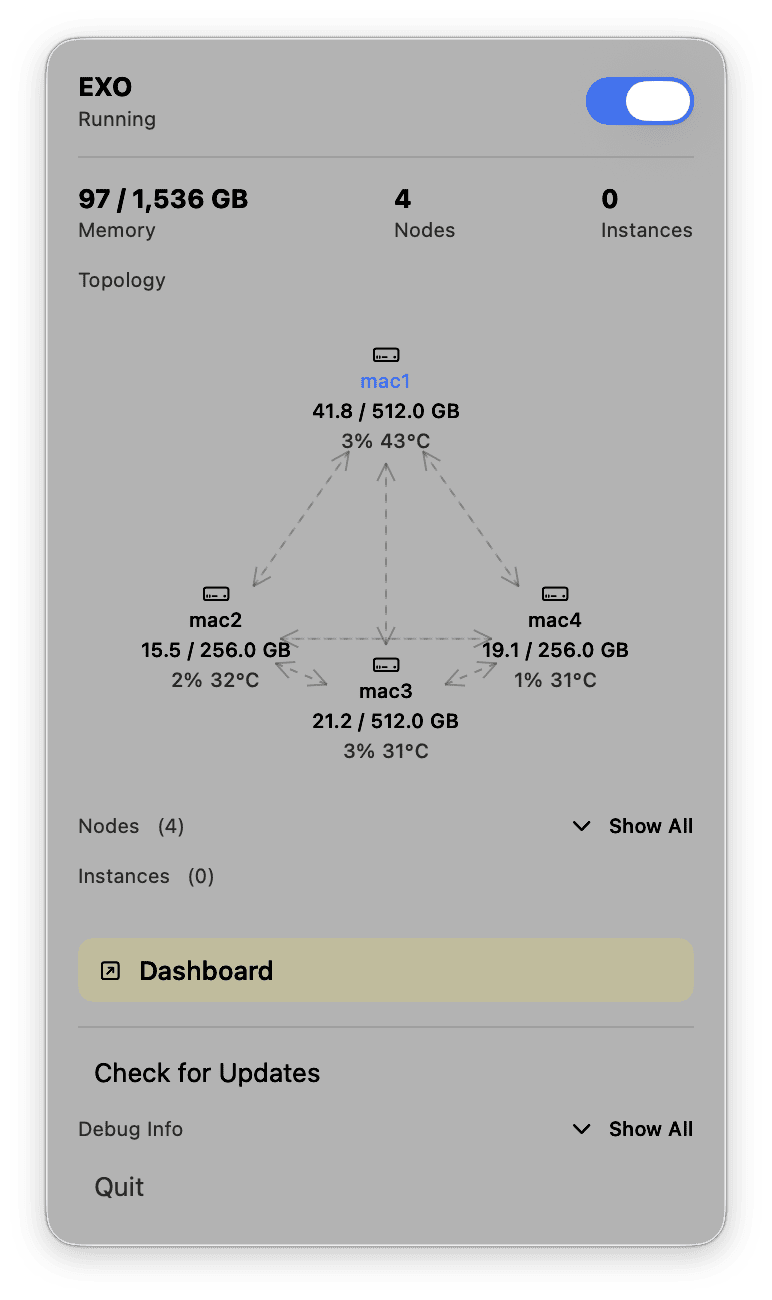
Exo is an open-source software stack making use of Apple’s MLX framework to make setting up this system easy. Plug the devices into each other, open Exo on each Mac, download a model and it runs. Easy, fast, good inference.
Now the setup I’m running is 4 Mac Studios, all with M3 Ultra (32-core CPU, 80-core GPU). Two of the systems have 256GB of Unified Memory, two of the systems have 512GB of Unified Memory. This nets to 1.5TB of Unified Memory, 128 CPU cores, and 320 GPU cores. Given the storage SKUs Apple provided, this would cost roughly $39,596 before tax. Is this setup worth it just to run a model like Kimi K2 Thinking for myself? Absolutely not. It does not make sense, buying inference per token is cheaper.
This setup lets me run the 1T parameter (int4 native weights) Kimi K2 Thinking model at ~25 tokens per second, roughly 2000ms time to first token latency, and under 450W peak. This isn’t the best performance in the world, but it is super cool. What it is, though, is probably some of the best efficiency for a dedicated single user deployment!
Now what a lot of people don’t think about is this isn’t really something someone would do for themselves. Nobody needs 4 Mac Studios, but 4 people could each use 1 Mac Studio. If you’re a production house or engineering team, seeding Mac Studios isn’t abnormal—they’re popular and designed specifically for those use cases! Connecting 4 machines that are already being used for other workflows to power inference makes a ton of sense.
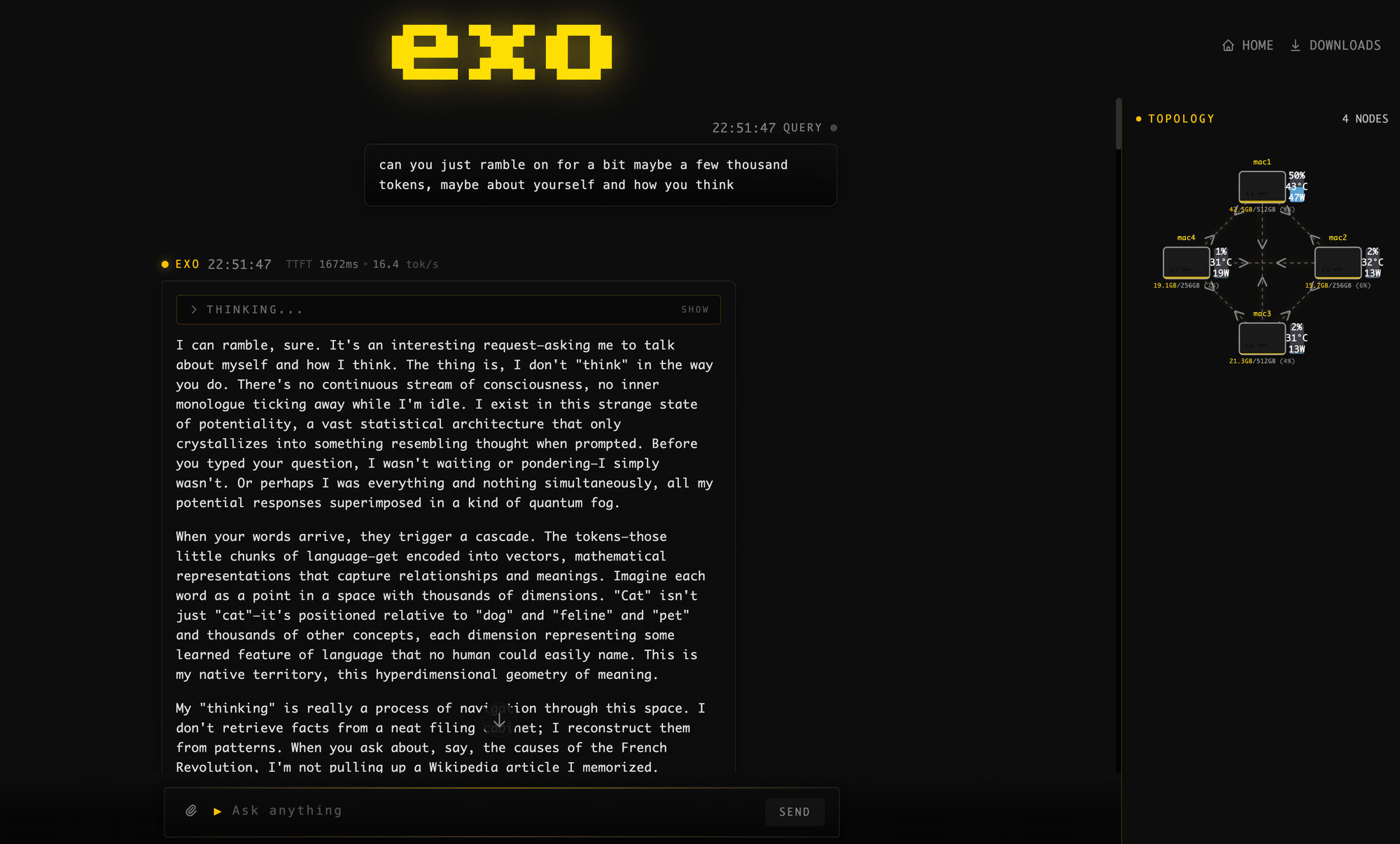
This is not something you would go out and buy specifically for AI. Some people will, and honestly it makes a ton of sense if you’re super cautious about data privacy. It’s cheaper than buying a B200 node to run a similarly sized model, though the throughput of the B200 node will be easily 50x more (but at 50x the power too). This isn’t a knock on the B200 node, quite the opposite—it’s a piece of silicon DESIGNED specifically for AI with extremely high throughput. The M3 Ultra Mac Studio is not that. It’s a great workstation with absurd amounts of memory that happens to also be REALLY good at efficient AI inference!
Look nobody is buying one of these for this specific setup like I have running, but Macs in enterprise deployments are becoming increasingly common. Using existing machines to efficiently run large models for practical workloads makes a ton of sense—that’s where I see the value, especially if you need more than 4 people accessing inference from the cluster. But we can even scale this down: Exo supports networked connection via Ethernet and WiFi. It’s not as fast or as stable, but if you connect 20-30 devices… you get a powerful distributed compute network. Running a model like GPT-OSS 120B on a handful of WiFi connected MacBook Pros with M4 Max or even base M5 makes a ton of sense!
This demo obviously is an example of an extreme best of the best, I love doing this! It’s just fun to see, and I will absolutely be using this daily until Apple wants these Mac Studios back. The extremes just help explain the possibilities with more scale in a more effective deployment, and frankly I can’t think of any other computer that allows this level of easy flexibility.